For administrators
Nobody can sign up until you add an entry
The whitelist starts empty, and an empty whitelist blocks every sign-up, by password or through a sign-in provider. Add your users' emails or your organisation's domain before you invite anyone.
Manage the whitelist
The Admin entry in the sidebar opens Email Whitelist, which decides who may create an account.
- Enter an email (
user@example.com) to allow one person, or a domain (@example.com) to allow everyone with an address there. - Click Add.
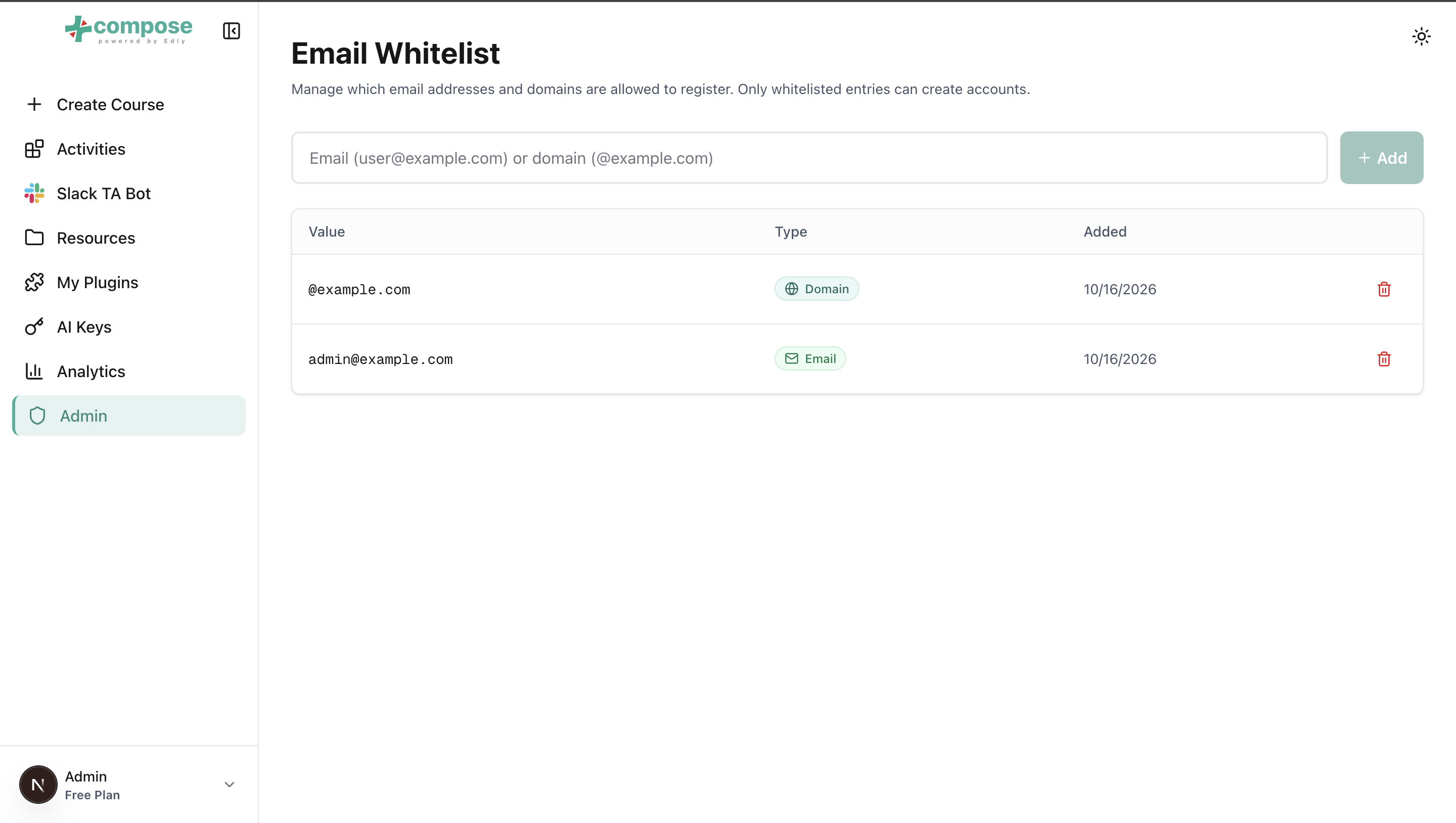
The table lists each entry with its value, its type (email or domain) and when it was added. To remove one, click its trash icon and confirm. Removing an entry stops new sign-ups from it; existing accounts keep working.
Someone who is not on the whitelist sees one of the messages in Signing up and signing in.
Review the audit log
Audit log in the sidebar lists who did what and when: sign-ins, key and plugin changes, permission changes, AI tool calls and more, most recent first.
- Narrow the list with the filters: a time range, an actor's user id, a category (
auth,tool,llm_config, ...), an outcome or a source, then click Apply. The time range includes the whole of the last minute you pick. - Click the arrow at the start of a row to see its full details, including what changed and the tool arguments.
- Click Load more at the bottom for older events.
- Click Export CSV or Export JSON Lines to download every event that matches the filters. Each export is itself recorded in the log.
Accounts
Sparkth has no screen for managing other people's accounts yet. Each user can change their own name and password on their profile page. To create an account, give someone admin rights or reset a forgotten password, ask whoever runs your Sparkth server.
Required permissions
Admin opens Email Whitelist, which needs the whitelist permissions:
| Permission | Lets you |
|---|---|
email.whitelist.read |
See the whitelist. |
email.whitelist.create |
Add an entry. |
email.whitelist.delete |
Remove an entry. |
The admin role has all three.
Audit log needs audit.read.